4Rabet is a Curacao registered bookmaker that provides its offerings on sports betting and casino for Indian users with supports in Hindi, Bengali, Telugu, Tamil, Marathi, Kannada and Urdu.
The app features over 1,000 daily events, including comprehensive IPL cricket markets, live in-play betting, and a fully equipped casino section. New users can avail of a 230% welcome bonus up to Rs 23,000 on their first deposit via exclusive promo codes.
This is a lightweight APK as its size is just 2.7 MB making it one of the lightest betting apps out there. This guide will discuss the entire downloading process the activation of the bonus and the payment procedures applicable to the Indian customers.
How to Download the 4Rabet App On Android?
The Google Play Store has a policy banning gambling apps, so for 4Rabet android users will have to download the 4Rabet APK file from the website. everything takes less than two minutes
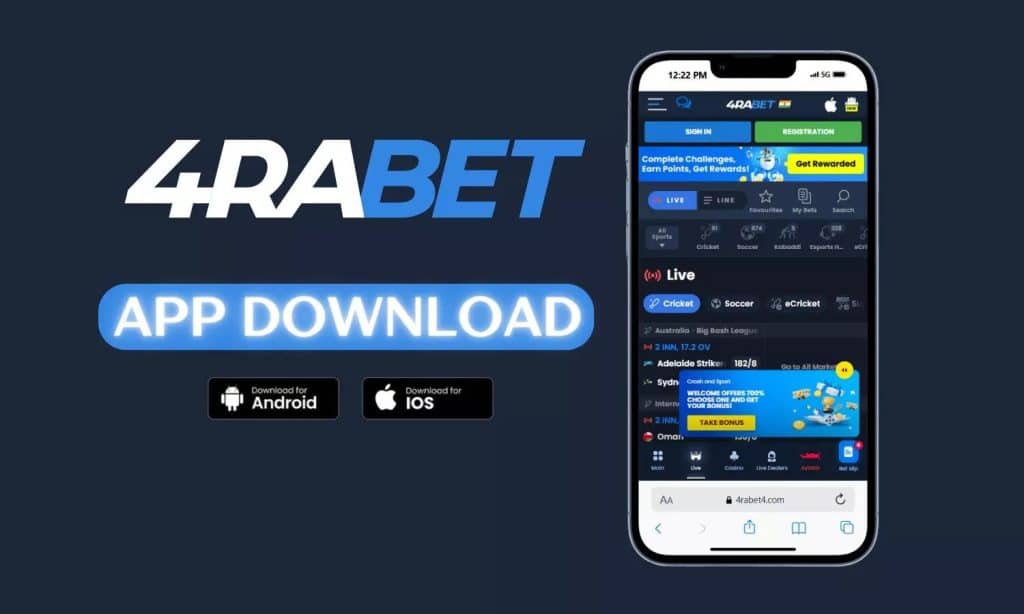
Step 1:Using your phone or tablet, open a mobile web browser and go to the 4Rabet site
Step 2: Down the homepage Scroll and tap “4Rabet App” then Click on “Download for Android”
Step 3: On your phone, go to your phone’s Settings → Security and turn on Unknown Sources.
Step 4: Tap 4rabet APK file in the Downloads folder.
Step 5: “Agree” to the installation prompt, and you just need to wait for the installation to finish
Step 6: Open the app, tap Register or Login to begin
4Rabet Android App Requirements
| Requirement | Details |
|---|---|
| APK File Size | 2.7 MB |
| Storage Needed | 43 MB |
| RAM | 1 GB or above |
| Processor | 1.4 GHz or above |
| OS | Android |
| Languages | Hindi, Bengali, Telugu, Tamil, Marathi, Kannada, UrdU and English |
How to Download 4Rabet on iOS?
4Rabet does not have a dedicated iOS app yet. iPhone and iPad users can access the platform through the PWA (Progressive Web App) version which runs directly in Safari.
Step 1: Open Safari and visit the official 4Rabet website
Step 2: Tap the Share icon at the bottom of the screen
Step 3: Select “Add to Home Screen”
Step 4: Name the shortcut and tap “Add”
The PWA version always runs the latest version automatically without manual updates and performs nearly identically to the Android app.
How to Create a 4Rabet Account?
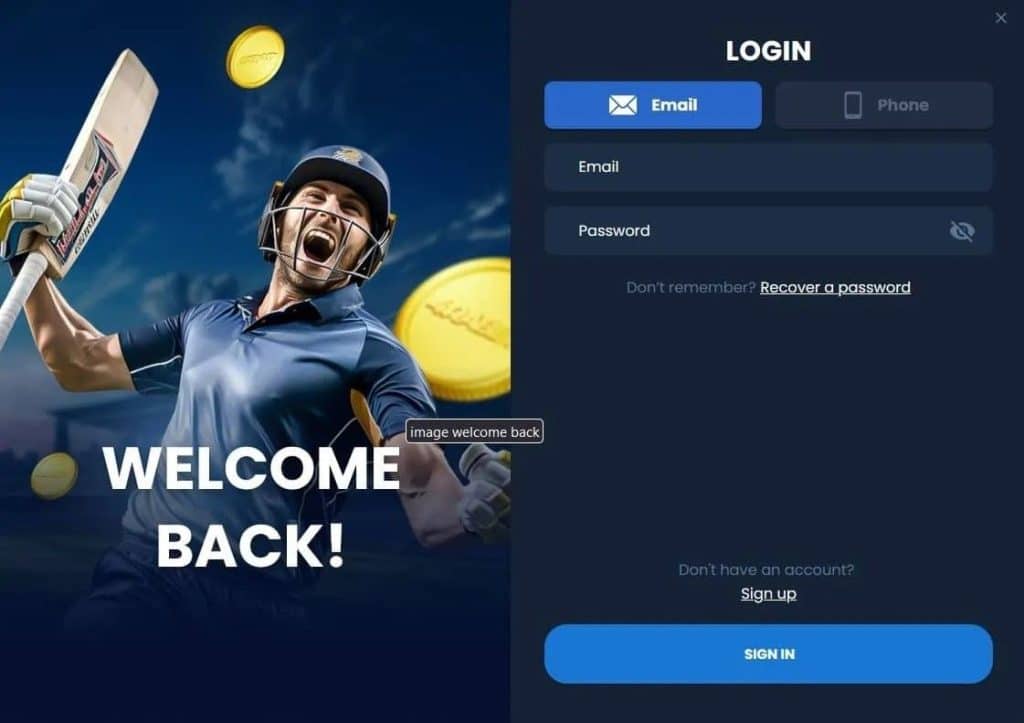
It is free to register, takes less than two minutes and can be done by using your phone number or email. Here’s how to sign up and redeem the welcome bonus.
Step 1: Open the 4Rabet app and press the “Registration” button
Step 2: Select your kind of registration — phone number oremail
Step 3: Fill in your full name, country, and phone number
Step 4: Choose a strong password and enter Indian Rupees (INR) as your currency
Step 5: Use code GOAL4RA (for sports bonus) or GL4RA (for casino bonus)
Step 6: Press “Sign Up” and activate your account
Step 7: Ensure KYC verification by submitting high quality scanned copies of your ID documents
Important: You must be 18 or over to register. One account for person only is allowed. Please complete KYC verification prior to withdrawal.
Bonuses Available for New 4Rabet Users
New users can choose between two welcome bonuses during registration. Both offer the same value but apply to different sections of the platform.

| Bonus Type | Offer | Promo Code | Min Deposit |
|---|---|---|---|
| Sports Welcome Bonus | 230% first deposit up to Rs 23,000 | GOAL4RA | Rs 300 |
| Casino Welcome Bonus | 230% first deposit up to Rs 23,000 | GL4RA | Rs 300 |
How to claim your bonus:
- Enter the relevant promo code during registration
- Make your first deposit of minimum Rs 300
- The bonus is credited to your account automatically
- Read all terms and conditions including wagering requirements before claiming
Note: Bonus wagering requirements must be fulfilled before winnings can be withdrawn. You can only choose one bonus type (sports or casino), not both.
What Payment Methods Does 4Rabet Support?
4Rabet supports all major Indian payment methods for fast deposits and withdrawals.
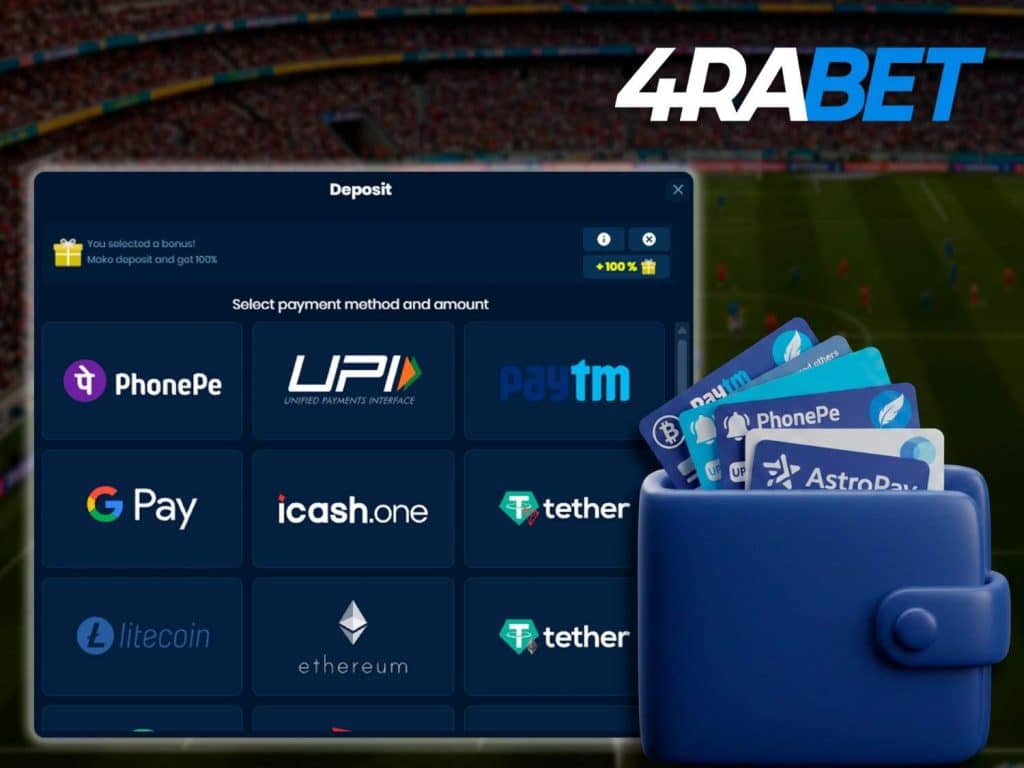
| Payment Method | Deposit Speed | Withdrawal Speed | Min Deposit | Min Withdrawal |
|---|---|---|---|---|
| UPI | Instant | 4 to 24 hours | Rs 300 | Rs 1,000 |
| Paytm | Instant | 4 to 24 hours | Rs 300 | Rs 1,000 |
| PhonePe | Instant | 4 to 24 hours | Rs 300 | Rs 1,000 |
| Net Banking | Instant | 4 to 24 hours | Rs 300 | Rs 1,000 |
| Skrill | Instant | 4 to 24 hours | Rs 300 | Rs 1,000 |
| Neteller | Instant | 4 to 24 hours | Rs 300 | Rs 1,000 |
| Crypto (BTC, ETH, DOGE) | Instant | 4 to 24 hours | Rs 300 | Rs 1,000 |
| Visa/Mastercard | Instant | 4 to 24 hours | Rs 300 | Rs 1,000 |
4Rabet does not charge withdrawal fees on any payment method.
What Are the Key Features of the 4Rabet App?
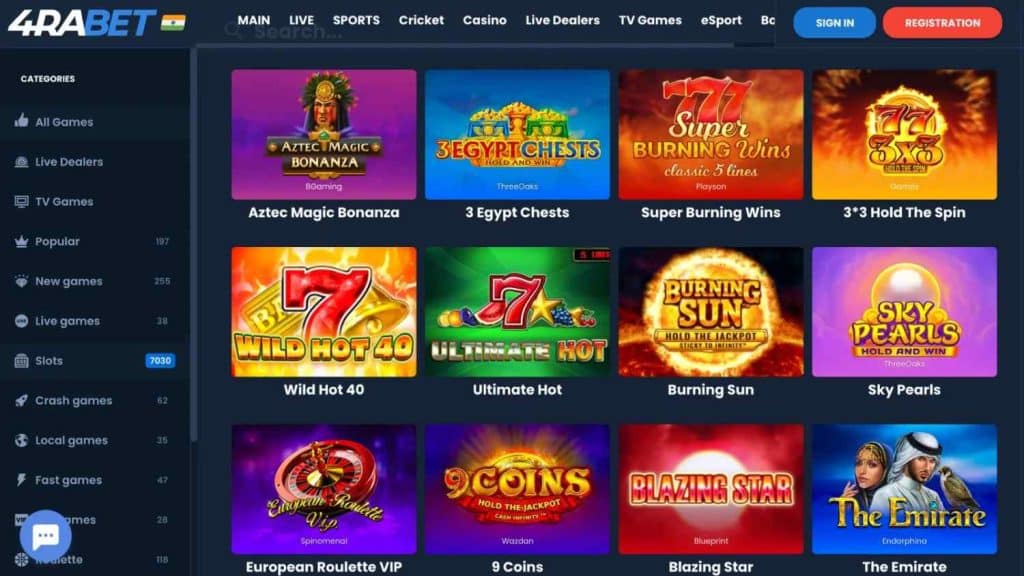
The app brings the full desktop experience to mobile and these are the key features.You can bet on these Sports: Cricket, football, tennis, basketball, eSports, and more than 1,000 events every day.
- Bets on major IPL markets: highest run scorer, winner, top bowlers, top batsman, toss winner, and live in-play.
- Jackpot: Slots, blackjack, roulette, baccarat and live dealer games with a real-time stream
- LIVE BETTING In-play: Live odds and betting while the game on goes.
- Live Streaming: Monitor selected events place bets from within the app.
- Multi-lingual Support: Hindi, English, Telugu, Tamil, Marathi, Kannada and Urdu.
- Push notifications: Receive updates on the offer, odds changes and betting markets in a timely manner.
Cash out to lock in profits or cut losses Settle your bets before the game is over to lock in profits or reduce losses.
4Rabet App: Pros and Cons
| Pros | Cons |
|---|---|
| Extremely lightweight at just 2.7 MB | No dedicated iOS app (PWA only) |
| Supports 7 Indian languages | Manual updates required (no Play Store auto-update) |
| 230% welcome bonus up to Rs 23,000 | Bonus wagering requirements can be steep |
| Deep IPL and cricket betting markets | Interface may feel basic compared to premium apps |
| UPI, Paytm, PhonePe, and crypto supported | Customer support response can be slow during peak hours |
| Clean minimal interface with easy navigation | |
| No withdrawal fees |
How to Fix Common 4Rabet App Issues?
Most problems have simple fixes that can be resolved without contacting support.
- Installation blocked: Enable “Install from Unknown Sources” in Settings → Security
- Login failed: Re-enter your credentials and check your internet connection
- App crashing: Close background apps to free up RAM, then reinstall if the problem persists
- Slow performance: Clear app cache in Settings → Apps → 4Rabet → Clear Cache
- Update failed: Manually download the latest APK from the official website
- Deposit not received: Verify all payment details are correct, check payment system limits, and contact support with a screenshot of the transaction
For persistent issues, contact 4Rabet customer support via live chat (24/7), email, or Telegram.
4Rabet App Login Errors
Login issues on the 4Rabet app are common and usually easy to fix. Here are the most frequent problems users face and how to resolve them.
Incorrect Password or Username — This is the most reported login error. Double-check that your registered mobile number or email is entered correctly. Passwords are case-sensitive, so make sure caps lock is off. If you’ve forgotten your password, use the “Forgot Password” option on the login screen to reset it via OTP or email.
Account Not Verified — If you haven’t completed the OTP verification during signup, your account may not be fully active. Go back to the registration flow and complete the mobile or email verification step before trying to log in again.
App Version Outdated — Running an older version of the 4Rabet app can cause login failures or unexpected crashes. Always update to the latest version from the official 4Rabet website. Since the app isn’t available on Google Play Store, you’ll need to download the updated APK directly.
Server or Connectivity Issues — During high-traffic periods like IPL matches, the app servers may experience heavy load. If you see a “server error” or the login page doesn’t load, wait a few minutes and try again. Also check your internet connection — switching between Wi-Fi and mobile data can sometimes resolve the issue.
Account Suspended or Restricted — If your account has been flagged for suspicious activity or a policy violation, you won’t be able to log in. In this case, contact 4Rabet’s customer support through their official website or email to understand the reason and request a resolution.
Browser Cache Issues (Mobile Web Users) — If you’re logging in through a mobile browser instead of the app, clearing your browser cache and cookies can fix loading or authentication errors that prevent successful login.
If none of these steps work, reach out to 4Rabet’s support team through their live chat or WhatsApp. Keep your registered mobile number and email ready so they can verify your account quickly.
Add 2FA to Your 4Rabet Account
Two-Factor Authentication (2FA) adds a second layer of security to your 4Rabet account beyond just your password. With 2FA enabled, even if someone gets hold of your password, they still can’t access your account without the second verification code.
Why You Should Enable 2FA — Betting accounts hold real money and personal financial details like UPI IDs and bank information. A compromised account doesn’t just mean lost funds — it means someone else has access to your payment methods and personal data. 2FA significantly reduces this risk.
How to Set It Up — Go to your account settings or security section within the 4Rabet app. Look for the Two-Factor Authentication or 2FA option. You’ll typically be asked to link an authenticator app like Google Authenticator or receive OTPs via SMS each time you log in. Follow the on-screen prompts to complete the setup. Once activated, you’ll need to enter a time-based code from your authenticator app every time you log in.
Avoid Logging In from Unknown Devices — Using shared computers, public Wi-Fi networks, or someone else’s phone to access your 4Rabet account is risky. These devices may have keyloggers, malware, or saved session data that can capture your credentials. Always log in from your personal device and avoid saving your password on browsers or apps you don’t fully control. If you’ve logged in from an unfamiliar device in the past, change your password immediately and check your account for any unauthorized transactions.
Quick Security Checklist for 4Rabet Users:
- Enable 2FA through account settings
- Use a strong, unique password that you don’t reuse on other platforms
- Never share your OTP or login code with anyone, including people claiming to be 4Rabet support
- Log out of your account after each session, especially on shared devices
- Regularly review your transaction history for unfamiliar activity
Beware of Fake 4Rabet Apps Stealing User Data
Since 4Rabet’s app is not listed on the Google Play Store or Apple App Store, users have to download the APK file manually. This creates an opportunity for scammers to distribute fake versions of the app that look identical to the real one but are designed to steal your login credentials, payment information, and personal data.
How Fake Apps Work — Scammers create cloned versions of the 4Rabet app with the same logo, interface, and color scheme. These fake apps are distributed through Telegram groups, random WhatsApp messages, third-party APK sites, and even paid ads on social media. When you install one of these and enter your login details, the information goes directly to the scammer instead of 4Rabet’s servers. Some fake apps also request unnecessary permissions like access to your SMS, contacts, and gallery to harvest even more data.
How to Identify a Fake 4Rabet App — The safest way to avoid a fake app is to only download the APK from 4Rabet’s official website. Check the URL carefully before downloading, the official domain should match exactly. Fake sites often use slight misspellings or extra characters in the domain name. Also, be cautious of any APK file shared by individuals on WhatsApp, Telegram, or social media, even if they claim to be agents or affiliates. A genuine 4Rabet app will not ask for permissions unrelated to its function, such as access to your contacts or file manager.
What to Do If You’ve Installed a Fake App — Uninstall the app immediately. Change your 4Rabet password from the official website using a different device. If you entered any payment details, contact your bank or UPI provider to secure your accounts. Monitor your transaction history for any unauthorized activity over the following days. Report the fake app or website to 4Rabet’s official support so they can take action and warn other users.
Red Flags to Watch For:
- Download links shared via WhatsApp or Telegram by unknown numbers
- APK files hosted on random websites rather than the official 4Rabet domain
- Apps that ask for excessive permissions during installation
- Login screens that look slightly different from the official app
- Promises of “modded” or “hacked” versions with guaranteed wins or bonus exploits
Suggested Reads:
Frequently Asked Questions
Visit the official 4Rabet website on your mobile browser, tap “Download for Android”, enable “Install from Unknown Sources” in settings, and install the downloaded APK file.
Yes. The app download and registration are completely free. You only need money when making your first deposit.
Use GOAL4RA for the sports welcome bonus or GL4RA for the casino welcome bonus. Both offer 230% up to Rs 23,000 on first deposit.
The minimum deposit is Rs 300 across all payment methods including UPI, Paytm, and crypto.
4Rabet operates under a Curacao eGaming license and is accessible to Indian users. Online betting exists in a legal grey area in India, so users should follow local laws.
There is no dedicated iOS app. iPhone users can access 4Rabet through the PWA version by adding the website to their home screen via Safari.