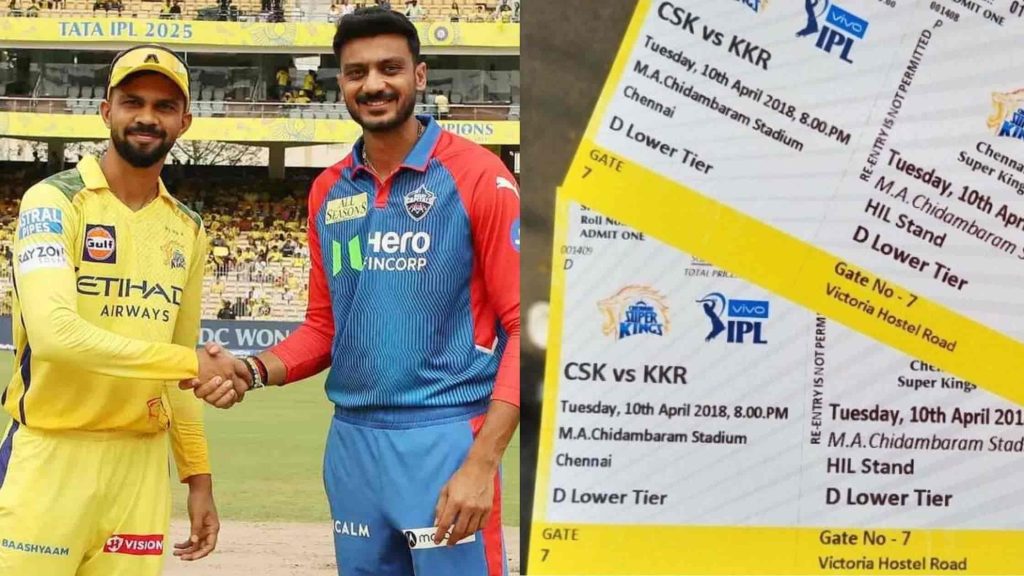
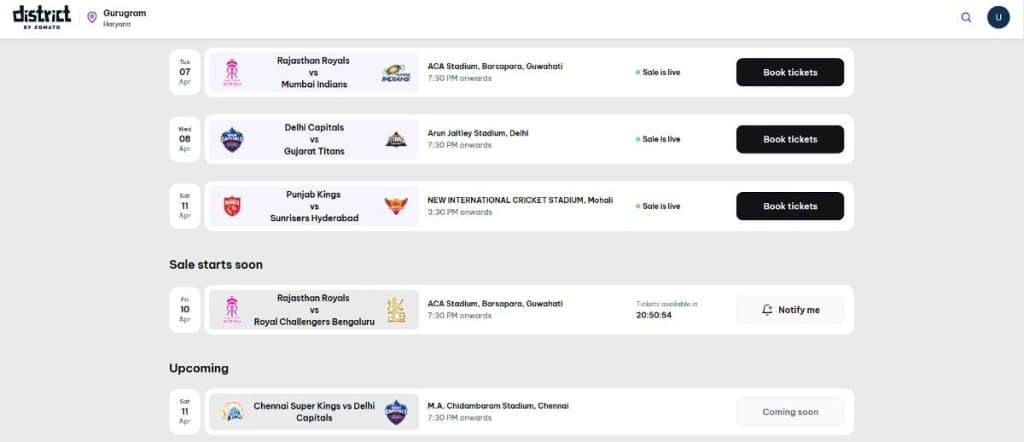
CSK vs DC Match 18 IPL 2026 tickets are listed as Coming Soon on District by Zomato for Chennai Super Kings vs Delhi Capitals at M.A. Chidambaram Stadium, Chennai. The match is on Saturday, 11 April 2026, at 7:30 PM IST. Prices are expected to start from ₹1,500 onwards, based on previous CSK home matches this season.
The CSK vs DC clash is always a high-energy affair. Fans are eager to watch Ruturaj Gaikwad’s Chennai side take on the Delhi Capitals at the iconic Chepauk under floodlights. On top of that, M.A. Chidambaram Stadium has a capacity of around 38,000, and CSK home games sell out fast. So the moment tickets go live, you’ll need to move quickly.
Below is everything you need: match details, expected ticket prices, the complete booking process step by step, and match-day essentials at Chepauk.
CSK vs DC Match 18: Key Details
| Detail | Information |
|---|---|
| Match | TATA IPL 2026: Match 18 CSK vs Delhi Capitals |
| Date & Time | Saturday, 11 April 2026, 7:30 PM IST |
| Venue | M.A. Chidambaram Stadium, Chennai |
| Ticket Platform | District by Zomato |
| Current Status | Coming Soon |
| Expected Starting Price | ₹1,500 onwards |
| CSK Captain | Ruturaj Gaikwad |
| DC Captain | Axar Patel |
| Key Storyline | CSK host DC at a packed Chepauk in a top-four battle |
District by Zomato is the exclusive ticketing partner for Chennai Super Kings home matches in IPL 2026. You won’t find CSK tickets on BookMyShow or any other platform.

CSK vs DC Match 18 Expected Ticket Prices At Chepauk
Based on previous CSK home games in IPL 2026, here’s what to expect across different seating categories:
| Stand / Category | Expected Price Range |
|---|---|
| General / Budget Stands | ₹1,500 – ₹2,500 |
| Mid-Range Stands | ₹3,000 – ₹5,000 |
| Premium Stands | ₹6,000 – ₹10,000 |
| Hospitality / VIP | ₹12,000 and above |
Exact stand-wise prices will appear on the District seating map once the sale goes live. Additionally, District charges a booking fee inclusive of GST on top of the base price, so factor that into your budget.
Budget stands fill up within hours for CSK home games. Book the moment the sale opens to get the lowest price and the best availability.
Where to Book CSK vs DC Tickets
CSK tickets are available through one official channel only:
District by Zomato – district.in or the District by Zomato app
District has also warned fans to avoid third-party sellers and fraudulent websites claiming to sell CSK IPL 2026 tickets. Stick to district.in or the official app only.
How to Book CSK vs DC Tickets on District: Step-by-Step Guide
Here is Step by Step Guide to book Tickets:
Step 1: Open the Match Page on District
First, visit district.in or open the District by Zomato app. Then search for TATA IPL 2026 or Chennai Super Kings vs Delhi Capitals.
You’ll see a list of upcoming IPL matches. Right now, the CSK vs DC match appears under the “Upcoming” section with a “Coming Soon” tag. Once the sale opens, that tag switches to a green “Sale is live” label and the “Book Tickets” button activates. That’s when you jump in.
Step 2: Click “Book Tickets”
Next, tap the “Book Tickets” button on the right side of the match card. This takes you straight to the stadium seating map. Act fast here — popular stands sell out within minutes for CSK home games.
Step 3: Choose Your Stand from the Seating Map
An interactive seating map of M.A. Chidambaram Stadium loads up. At the bottom, you’ll see price filter buttons for each ticket category. Tap a price to highlight only the stands in that range.
Greyed-out sections are already sold out. Colour-coded sections still have seats. You can also toggle Hospitality on if you want premium or VIP packages.
Step 4: Pick Your Exact Seat
After tapping a stand, the seat-level view opens. Blue dots show available seats, and grey dots are already taken.
Tap any blue dot to see the row number, seat number, and price. Once you’re happy with your choice, tap “Add to Cart.” A 10-minute countdown timer starts immediately, so complete your booking without delay.
Step 5: Select Your Ticket Pickup Slot
M.A. Chidambaram Stadium requires physical tickets for entry. So after adding to cart, you’ll need to choose a pickup location, date, and time slot for ticket collection.
Pick a slot that suits your schedule. Most importantly, collect your ticket at least a day before the match to avoid long match-day queues at the pickup centre.
Step 6: Review Your Order and Pay
The Order Summary screen shows your seat details and the full price breakdown including fees and GST. Check for any event or payment offers on this page before proceeding.
Then tap “Continue,” fill in your billing details (name, mobile number, email, state, and nationality), accept the terms, and head to payment. District accepts UPI, credit and debit cards, net banking, and wallets. After payment, your booking confirmation goes straight to your registered email.
Physical Ticket Pickup: What You Should Know
Here’s what to keep in mind for collecting your ticket:
- Check your email after booking for the official pickup centre address and slot details.
- Carry your booking confirmation and a valid government ID for verification.
- You may also need to show an OTP from your District app profile at the counter.
- Collect your ticket a day before the match. Match-day pickup queues can get very long.
M.A. Chidambaram Stadium: Quick Venue Guide
| Detail | Information |
|---|---|
| Full Name | M.A. Chidambaram Stadium (Chepauk) |
| Location | Chepauk, Chennai, Tamil Nadu |
| Capacity | ~38,000 |
| Pitch Type | Spin-friendly, low-scoring in the second half |
| Nearest Metro | Chennai Beach / Government Estate |
| Entry Points | Multiple gates across the stadium perimeter |
How to Reach Chepauk
By metro, Chennai Beach Station on the suburban rail network is the closest and most convenient option. It’s only a short walk to the stadium from there.
By road, Chepauk is centrally located in Chennai and easily accessible from most parts of the city. However, parking near the stadium on match days is extremely limited, so a cab drop-off or auto is the smarter choice.
On match days, plan for traffic. Arriving early is always the better move.
Booking Tips For CSK vs DC Match 18
Book the Moment Tickets Go Live
Set a reminder on your phone for when the sale opens. The moment the District page shows “Sale is live,” open the app and start the booking. Budget stands for CSK home games sell out within hours, sometimes minutes.
Use the District App for Fastest Access
The District app gives you the most direct access to the booking flow. Download it before the sale opens, log in, and save your payment details so checkout takes only a few seconds.
Avoid Third-Party Sellers
Only book through district.in or the official District by Zomato app. Ticket scams are common for high-demand CSK matches. If a price seems too good to be true on a random website, it almost certainly is.
Collect Your Ticket Early
Unlike digital M-tickets, CSK home matches require physical ticket collection. Plan your pickup slot well in advance and go a day early to skip the rush.
Match Day Guidelines At Chepauk
Gate Timings
Gates at Chepauk typically open 2 to 3 hours before the match. For a 7:30 PM start, aim to arrive by 5:00 PM to clear security and settle in comfortably.
What to Carry
- A valid government-issued photo ID (Aadhaar, PAN, or Passport)
- Your physical match ticket
- Light clothing Chennai in April is warm and humid, around 28–35°C
- Wear yellow if you’re backing CSK
Items Not Allowed Inside
- Outside food, beverages, or water bottles
- Large bags or backpacks
- Power banks
- Professional cameras, drones, or tripods
- Glass bottles, sharp objects, or lighters
Suggested Reads:
Conclusion: CSK vs DC Match 18 Tickets Are Coming Soon on District
CSK vs DC Match 18 IPL 2026 tickets are listed as Coming Soon on District by Zomato for Saturday, 11 April, 7:30 PM at M.A. Chidambaram Stadium, Chennai. Prices are expected to start from ₹1,500 onwards, with hospitality options going much higher.
Since Chepauk holds around 38,000 fans and CSK is one of IPL’s most followed teams, every section fills up fast. Keep district.in bookmarked, turn on notifications via the “Notify Me” option on the match listing, and book the moment the sale goes live before your preferred stand sells out.